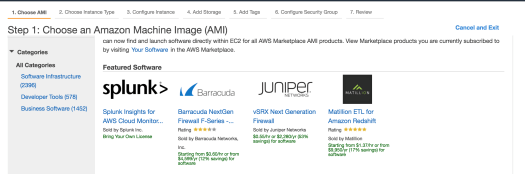
With EC2, you have a huge variety of instance types to chose from, and with each type having a range of sizes small to large:
- General Purpose
- Compute Optimized
- GPU instances
- FPGA instances
- Memory Optimized
- Storage Optimized
For each of the types you have a further range of options for how you chose to provision an instance, which has an impact on how the instance is priced:
- On-demand: requested and provisiond as you need them
- Spot Instances: spare capacity instances auctioned at a lower price than On-Demand, but may not always be available. You request a price, if an instance is available at that price it is provisioned, otherwise you wait until available (see current pricing here)
- Reserved Instances
- Dedicated Hosts
- Dedicated Instances
I’ve never created a Spot Instance before, and I’m curious what the steps are. As with every service on AWS, there’s more than one approach, and I’ve going to look at using a Launch Template:

Bu creating a Launch Template you can configure a number of settings for you instance (AMI image, EC2 instance type, etc).
From the Request Spot Instance page in the EC2 Management Console, you can now use your Launch Template which prepopulates most of the settings for your requested Spot Instance:

Further down on this page is where you request your pricing – it defaults to buy at cheapest available, and is capped at the current On-Demand price (if the spot price rises to match the On-Demand price then there’s no savings from the Spot pricing and you might as well get On-Demand instead):

After submitted, it shows the request in a submitted state:

So here’s my first error:
Repeated errors have occured processing the launch specification “t2.small, ami-41e0b93b, Linux/UNIX (Amazon VPC), us-east-1d”. It will not be retried for at least 13 minutes. Error message: com.amazonaws.services.ec2.model.AmazonEC2Exception: Network interfaces and an instance-level subnet ID may not be specified on the same request (Service: AmazonEC2; Status Code: 400; Error Code: InvalidParameterCombination)
Network instances and a instance-level subnet – I did add an interface because I wanted to select the public ip option. Let’s create a new version of the template and try again.
Now my request is in ‘pending fulfillment’ status:

Same error. One of the answers here suggests this is because I don’t have a Security Group. Ok, let’s add a Security Group to the launch template and try again.
Same error even though I added a Security Group to my template, but I noticed this is the Request Spot Instance options – when you select your Template, if you’ve made version updates to your template, make sure you select the latest version as it defaults to 1, i.e. I was restarting with the original template that I know doesn’t work:

Next error:
com.amazonaws.services.ec2.model.AmazonEC2Exception: The security group ‘sg-825bfe14’ does not exist in VPC ‘vpc-058f5d7c’ (Service: AmazonEC2; Status Code: 400; Error Code: InvalidGroup.NotFound)
Hmm. So I’m interpreting this as my Security Group is not for the default VPC that my instance was assigned, so let’s create a new VPC, and then a new Security Group for this VPC:

Now create a new Template version with this new VPC and SG.
Next error:
Error message: com.amazonaws.services.ec2.model.AmazonEC2Exception: Security group sg-b756adc0 and subnet subnet-f756c7bf belong to different networks. (Service: AmazonEC2; Status Code: 400; Error Code: InvalidParameter)
SG and subnet belong to different networks. Ok, getting close. Let’s take a look.
On the VPC for my SG I have: 10.0.0.0/16
On my subnet for us-east-1d I have: 10.0.0.0/24
Ah, ok. let’s add a new subnet for us-east-1d with the same CIDR block and try again.
When creating your spot request, make sure you select your VPC and subnet to match:

Ahah! Now we’re looking good and my Spot Instance is being provisioned:

Ugh, next error:

Looks like in my template I didn’t give a device name (‘missing device name’) for my EBS volume, e.g. /dev/sdb. New template version, trying again.
Next error:
Error message: com.amazonaws.services.ec2.model.AmazonEC2Exception: The parameter iops is not supported for gp2 volumes. (Service: AmazonEC2; Status Code: 400; Error Code: InvalidParameterCombination)
Geesh. Ok, removing the iops value in the template and trying again (would help to have some validation on the template form)
And now:

Fulfilled, we made it, a Spot Instance provisioned!
At this point though my instance was started without a public IP, so now I’ve got the Security Group and Subnet issue sorted, I’ll go back to the template and add a network interface and select ‘assign public IP’. Rather than assigning this on the network interface though, it looks like it’s also an option from the subnet config, so I edited and added it here:

And now we’re up, with a public IP! Whether my User Data init script actually did what it was supposed to is the next thing to check, but I’ll look at that next!